FAQ – Real Smiles Camera
Where can I download Real Smiles Camera?
Real Smiles Camera is available on the App Store: download it here. You can also open the App Store on your iPhone and search for Real Smiles. It's free to download and requires iOS 17 or later.
How much does Real Smiles Camera cost?
Real Smiles Camera is free to try, with 5 free automatic captures per day. Unlock unlimited automatic captures for $9.99/year, purchased through Apple's In-App Purchase. The subscription renews automatically each year until you cancel.
How do I cancel my subscription?
Open the Settings app on your iPhone, tap your name, then Subscriptions, and choose Real Smiles Camera. You can cancel at any time; you'll keep unlimited captures until the end of the period you've paid for.
Does it work with the front camera?
Yes. Real Smiles Camera works with both the rear and front cameras, so you can use the front camera to see the screen while you pose for a selfie or group shot.
What is the minimum iOS version?
Real Smiles Camera supports iOS 17 and later.
Does it support different lenses (wide angle, telephoto, main)?
Yes. Real Smiles Camera supports the different rear lenses on your iPhone, including ultra wide, main (wide), and telephoto, as long as your iPhone has them.
Can I use the app for free?
Absolutely! You get 5 automatic captures per day for free, so you can see how it works, plus unlimited manual captures.
Do manual captures count against my free tier limits?
Nope! Feel free to take as many manual captures as you want. Only automatic photos count against the free tier limits.
Is this like Apple's "Smart Take" mode on iPhone Duo?
Same idea, different approach. Apple's Smart Take takes the photo once everyone in the frame is ready, and it's coming to iPhone Duo. Real Smiles Camera brings a similar hands-free experience to other iPhones: it watches the group and takes the photo when everyone is smiling and sharp. Real Smiles Camera is an independent app and isn't affiliated with Apple.
Does Real Smiles Camera collect my photos or data?
No. Everything runs on your iPhone, and nothing is collected or sent anywhere. See our Privacy Policy.
Why isn't the automatic capture feature working?
Open Real Smiles Camera, and tap the settings icon at the top left. Make sure that Smile detection is enabled.
Also, try disabling Blur detection. If the subjects are too blurry, or aren't holding still, Blur detection can stop automatic photos from being taken.
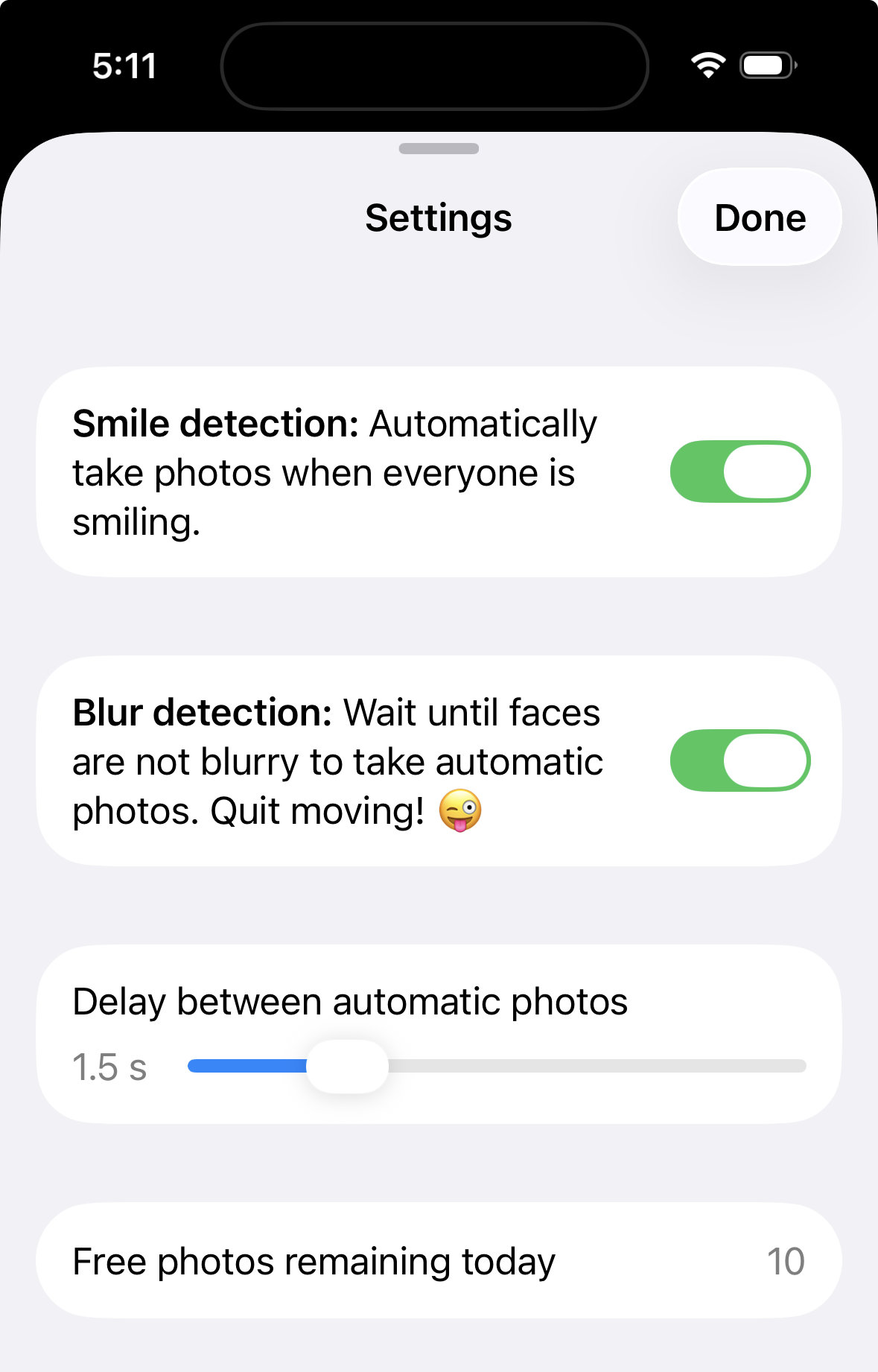
How can I adjust the delay between photos?
Open Real Smiles Camera, and tap the settings icon at the top left. There is a slider to adjust the delay between automatic photos.
Does it support portrait mode?
Yes – as long as your iPhone natively supports portrait mode! Every photo captured by Real Smiles Camera automatically saves all necessary depth information for portrait mode. To enable portrait mode, just open the captured photo in the Apple Photos app, and tap the "Portrait" dropdown at the top left of your photo.
How can I get help?
Got feedback, suggestions, or need help? Contact us any time at [email protected]!